Where can I compare digital audio recorders in Miami?
Visit SPY WORLD at 96 Miracle Mile in Coral Gables to compare digital audio recorders in person. Ask for a simple demonstration of how the recorder starts, stops and saves the audio. Functions can change between models, so confirm how the selected recorder works before buying it.
See the Recorder Before You Choose It
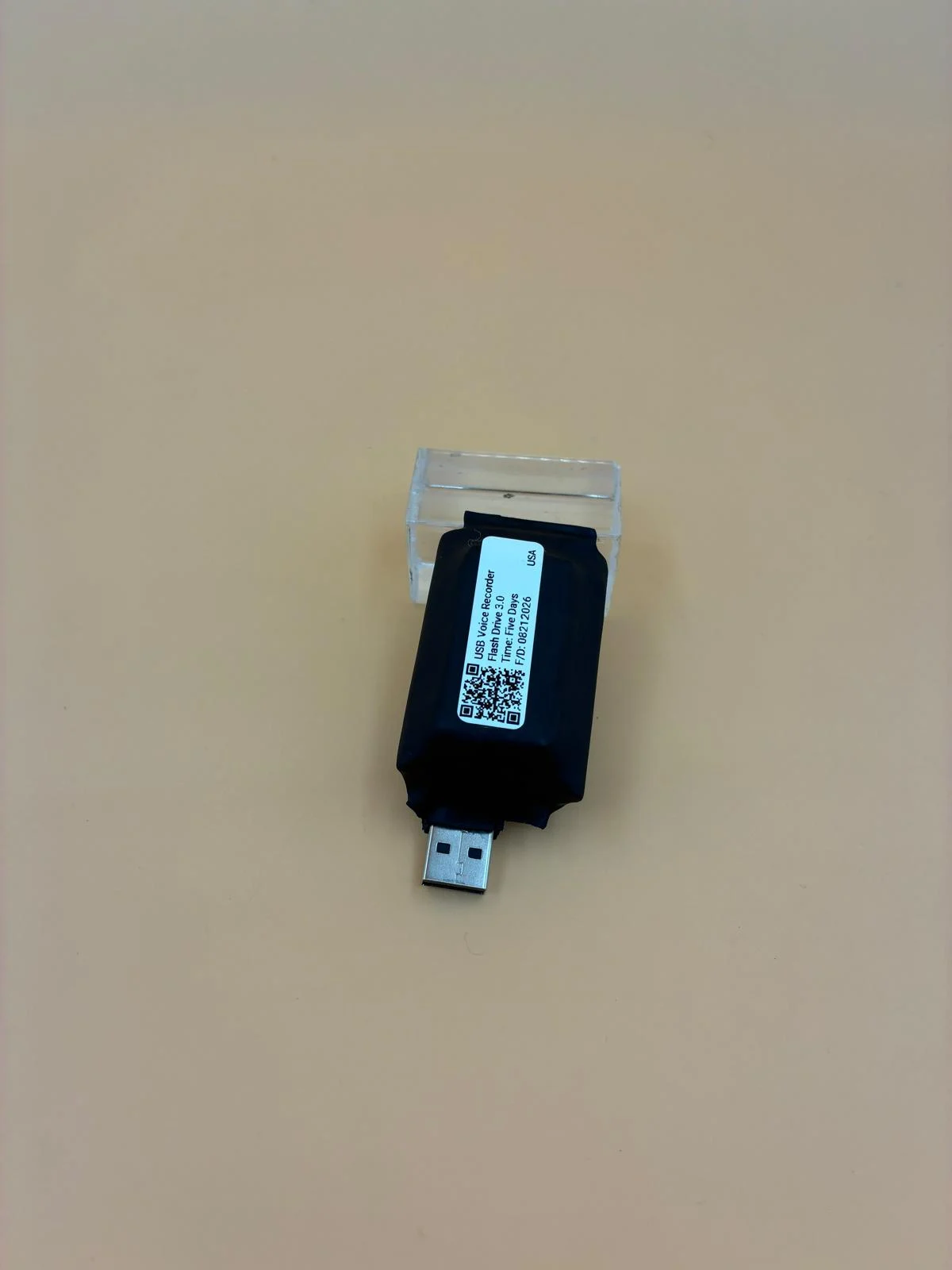
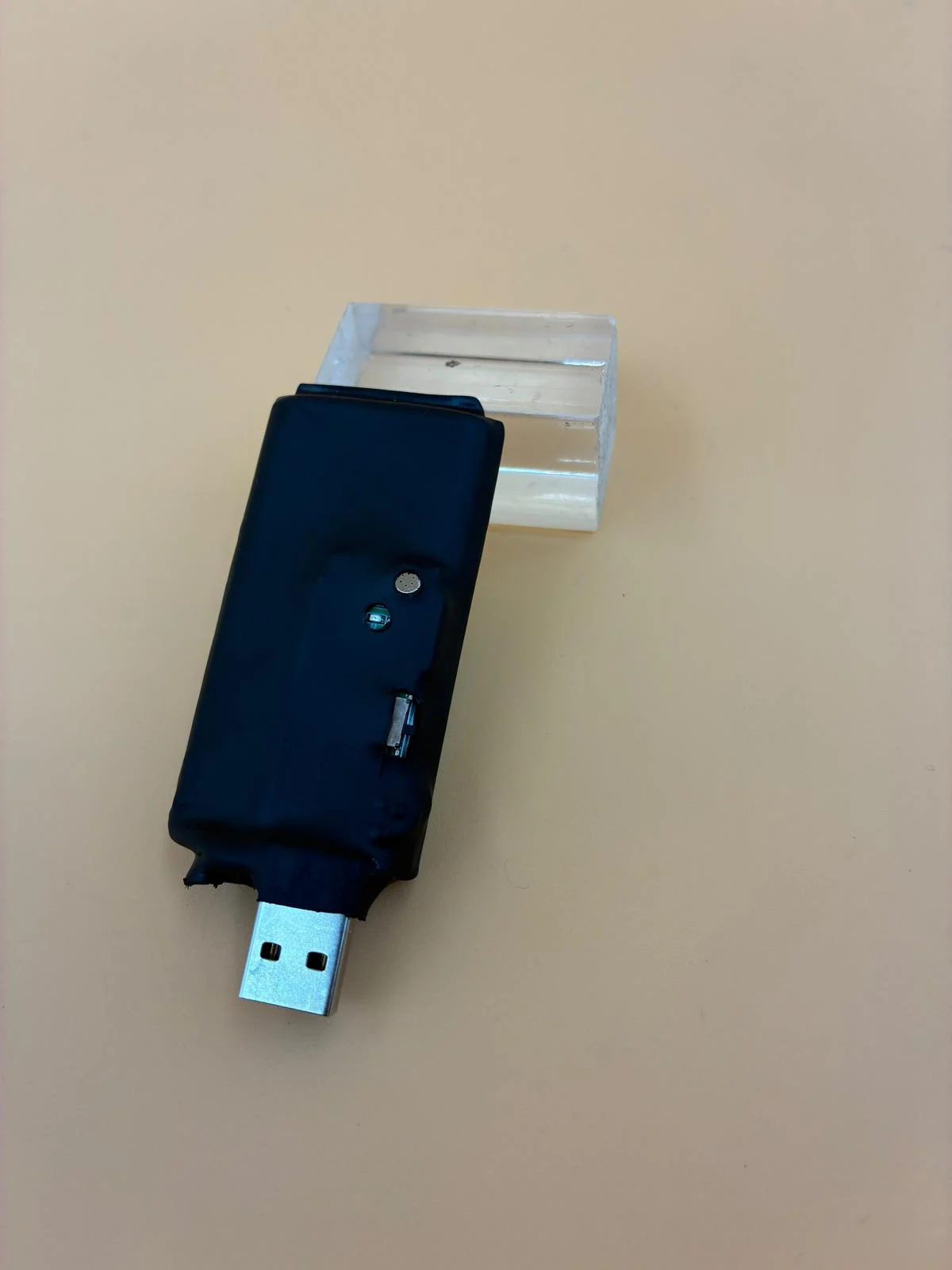
The recorder shown in these photos is compact and has a USB-style connection. The close-up images make it easier to see its shape, controls and indicator area. The photos show the outside of the recorder only. They do not confirm its memory, recording time, sound quality or compatibility. Ask about those details for the exact model available in the store.
Think About What You Will Do With the Recording
Before choosing a recorder, think about what you will do after the recording ends. Do you want to listen to the audio right away? Will you move it to a computer? Do you need to keep several recordings organized? These simple questions can help you choose the right type of recorder. A person making occasional voice notes may want quick playback. Someone recording an authorized meeting may care more about transferring and organizing files. A student with permission to record a class may need an easy way to separate one lecture from another. Thinking about this early can save you from choosing a recorder that becomes difficult to manage later.
Build a Simple Recording Routine
Using the same steps every time makes a recorder easier to manage. Before you begin, check the power and make sure the device is ready for the authorized recording. When you finish, stop the recorder correctly and make sure the file was saved. If the recording is important, listen to a short part before putting the device away. It also helps to write down the date and the general subject. A short note can make the recording much easier to find and understand later.
Keep Your Recordings Easy to Find
After a while, several audio files can start to look the same. A simple list can help you remember what each recording contains. Write down the date, approximate time and a short description of every authorized recording. If you move the file to a computer, give it a clear name. A date and a short subject are more useful than a name such as “audio one.” Write only the basic facts. If a recording may be used for a legal, workplace or professional matter, ask the right professional how the original file should be kept.
Test the Recorder Where You Plan to Use It
A quiet store and a busy room will not sound the same. Air conditioning, traffic, movement, distance and several people speaking can affect a recording. When possible, make a short authorized test. Place the recorder where you would normally use it, speak in a normal voice and listen to the result. This will give you a better idea of what the recorder can capture in a real setting. If the model offers noise reduction, ask what that function does and listen to a test. Results can change from one room to another.
Decide How You Want to Hear the Audio
Some people want to hear the recording directly from the device. Others prefer to move the audio to a computer. Both options can work, depending on the model and the way you plan to use it. Direct playback can be useful for a quick check. A computer may be better when you want to organize several files. A USB-style connection can make transferring audio easier, but it does not mean the recorder will work with every computer or adapter. Tell the specialist which computer or device you plan to use. Ask to see how the audio is opened, not only how the recorder turns on.
Make Sure the Controls Feel Easy
Small recorders are easy to carry, but their controls may also be smaller. Make sure you can find the right button without guessing. Before an important authorized recording, practice once. Start the recorder, speak for a moment, stop it and find the saved audio. Then play it or transfer it the same way you plan to do later. A short practice is often more helpful than reading a long feature list.
Simple Questions to Ask in the Store
| Stage | What to confirm |
|---|---|
| Before recording | How do I know this model is ready to record? |
| Starting | Which control begins the recording? |
| Status | How can I tell that it is recording? |
| Stopping | How do I stop and save the recording? |
| Finding the audio | Where will I find the saved recording? |
| Listening | Can I hear the audio on the recorder, or do I need a computer? |
| Transferring | How do I move the audio to another device? |
| Using it again | What should I check before the next recording? |
See Different Recorder Formats at SPY WORLD
This short video shows several compact voice recorders inside the SPY WORLD showroom. Contact the store to identify a model shown in the video and confirm its available functions.
Tell Us How You Plan to Use the Recorder
When you visit SPY WORLD, explain what you want to record legally and how you want to hear the audio later. Tell the team whether you plan to use a computer or prefer direct playback. The store can show you the available models and explain their basic controls. If you are outside Miami, contact the team to ask about availability, shipping and help for the selected recorder. Products and functions can change, so confirm the exact model before visiting or ordering.
What Customers Say About the In-Store Guidance
These five-star Google reviews describe real customer experiences with the store and its team. They are opinions about the business, not technical claims about a specific recorder.
Really fascinating shop with a lot of interesting security and spy gadgets to look at. Apolo is very knowledgeable and took the time to explain different products and how they work. Definitely worth checking out if you're curious about surveillance and security tech.Aneliya GarridoView on Google
This place was so welcoming and spectacular from the get go! They were so welcoming and offered us a tour which was extremely worth the experience! Definitely such a fun and amazing place! Will most definitely be coming back!Kate NovaView on Google
Definitely recommend to anyone in the area Julian was extremely knowledgeable about everything in the store and took the time to explain the different products in detail. He really knows his stuff and made the whole process easy and enjoyable. If you're looking for expert guidance and great customer service, I definitely recommend asking for Julian!Kai CzesakView on Google
Permission Comes Before the Record Button
Recording laws can change depending on the place and the people involved. Owning a small recorder does not give you permission to record someone. Before recording, make sure you have the consent or legal authorization required for that situation. Different rules may apply to private conversations, workplaces, classrooms, medical visits and interviews. SPY WORLD can explain how the recorder works, but this is not legal advice. Speak with a qualified attorney if you are unsure whether a recording is allowed.
Questions About Digital Audio Recorders in Miami
What should I bring when comparing voice recorders?
Explain where you plan to use it legally, how you want to hear the audio and which computer or playback device you have. This helps the specialist show you suitable options.
Can every USB recorder play audio directly?
No. A USB-style connection does not always mean the recorder has direct playback. Ask how the selected model saves, transfers and plays audio.
How can I avoid losing track of my recordings?
Write down the date, time and subject of each authorized recording. If you move the file to a computer, give it a clear name and keep it in the correct folder.
Should I test a recorder before an important meeting?
Yes. Make a short authorized test in a similar room. Stop the recorder, find the file and listen to it. This helps you learn the controls and check the sound.
Does noise reduction mean that all background sound disappears?
No. Results depend on the recorder and the room. If noise reduction is available, ask what it does on that model and listen to a test when possible.
Can SPY WORLD help customers who are not in Miami?
Yes. Contact the store to ask about available recorders, shipping options and help for the selected model.
Choose a Recorder You Feel Comfortable Using
Visit SPY WORLD in Coral Gables or contact the team and explain what you need. Ask for a simple demonstration showing how to start, stop, find and play the recording before you choose a model.